A daily GA4 report in Telegram: what ALERTIS is and who needs it
Monday, 9:40 AM. Your ads ran all weekend, the budget ticked away hour after hour, and there is not a single lead. The form on your site broke on Friday evening, right after a plugin update. Three days of money going nowhere, and you find out by accident, because a customer called to say "your button doesn't work".
Sound familiar? This story repeats itself in thousands of businesses every week. Not because anyone is lazy. It happens because website analytics is built in a way that requires you to GO there. And nobody has time to go there every day.
Why businesses are the last to know
Google Analytics 4 knows everything about your site: how many people came, where from, what they did and where they dropped off. But between "GA4 knows" and "you know" there are several barriers:
- You have to open it. Deliberately open the tab, remember where to click, pick a date range. For a business owner, this task loses to literally any urgent one.
- You have to understand it. The GA4 interface was designed for analysts. "Engaged sessions", "attribution models", dozens of reports. Half of small businesses open it once a month and look at a single number.
- Nothing tells you when something breaks. GA4 will show you a conversion drop, if you find it yourself. There is no "you have a problem" signal. Silence in analytics looks exactly like stability.
- The agency report comes once a month. If an agency or freelancer runs your marketing, two to four weeks pass between an event and the report about it. For a broken form, that's an eternity.
The result is always the same: the business learns about a traffic drop, a broken form or an ad campaign burning budget without leads days late. Sometimes weeks late.
What ALERTIS is, in plain words
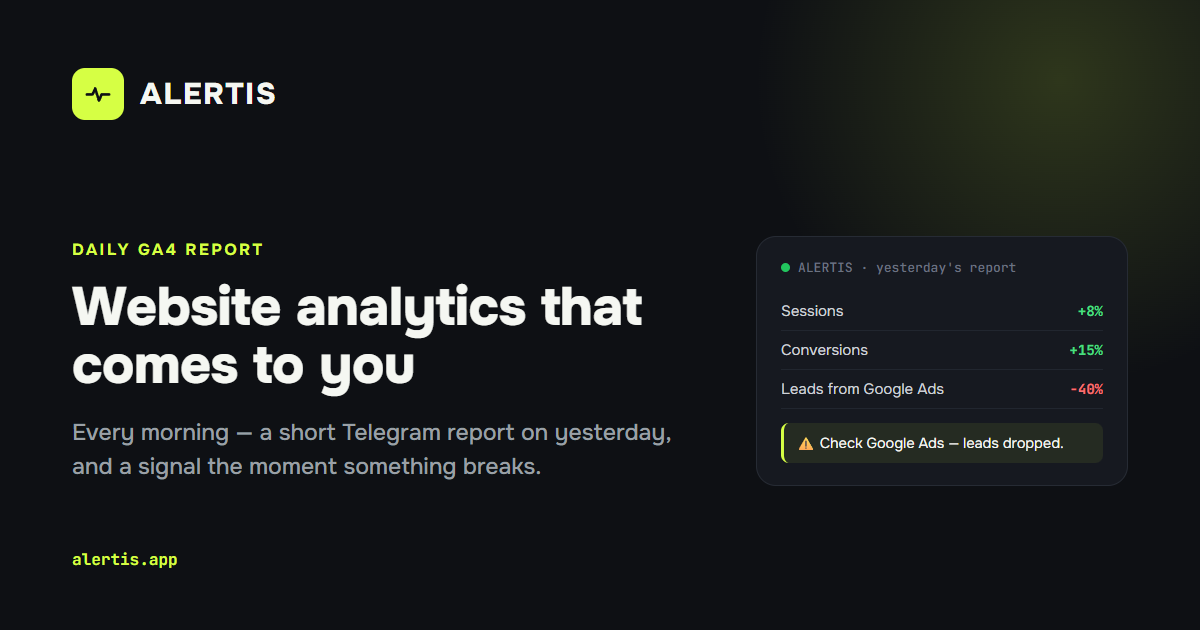
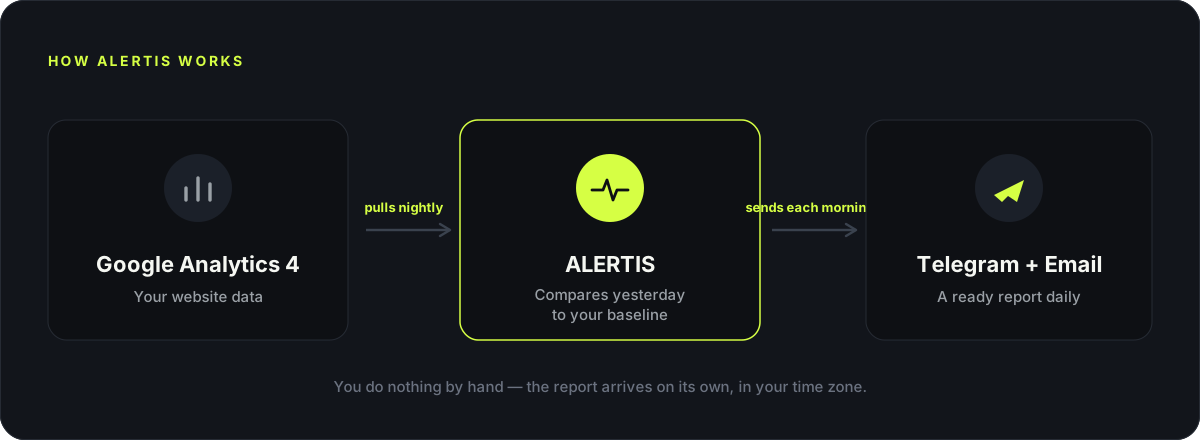
ALERTIS connects to your Google Analytics 4 and every morning sends a short Telegram report about yesterday. Not a dashboard, not a spreadsheet, not a "go check it yourself" link. A ready-made message you read in one minute with your coffee.
What's inside the daily report:
- sessions, new users and conversions for yesterday, compared to your business's own normal from previous weeks;
- a channel breakdown: what ads brought, what organic brought, what social brought, and which of them grew or dropped;
- a country breakdown, if you sell to several markets;
- a dedicated AI traffic block: how many people came from ChatGPT, Perplexity and other assistants;
- a plain-language conclusion: all stable, or here is what needs your attention.
The key word is "normal". ALERTIS compares yesterday not to abstract benchmarks but to how your own site behaves on the same days of the week. Mondays are compared to Mondays. So "your conversions dropped" means a drop against your reality, not someone else's average.
I'm a marketer, and even I opened analytics less often than I should have. Not because I didn't care, but because it's a separate action you can always postpone. So I built a service that comes to you. You read the message in the morning like the news, and you know for sure: everything works, or it's time to react. Oleksandr, founder of ALERTIS
How it works: 3 minutes to set up
- Sign up with the Google account that owns your analytics.
- Grant read-only access to GA4. ALERTIS changes nothing in your analytics settings, it only reads the numbers.
- Connect Telegram in one click. The bot finds your chat itself, nothing to type.
- Pick the time and days. For example, every day at 9:00, or weekdays only. The report arrives exactly then, in your timezone.
From there the service runs itself: it collects data at night, and in the morning you get the message. If something happens to the analytics access, say Google revokes the token, ALERTIS tells you about it in Telegram and shows how to fix it in a minute. There is no silence hiding a problem here.
Who actually needs ALERTIS
- A small business owner. You are not obliged to master GA4. You need to know three things: are people coming, are there leads, did anything break. That's exactly what lands in Telegram.
- A marketer who runs everything solo. Instead of a morning ritual across five tabs, one report that has already compared everything to the norm. An anomaly is visible immediately, not at the end of the week in hindsight.
- An agency or freelancer with several clients. Every project sends its own report. The client sees the same report you do, and the "so how is our site doing" questions get answered before they are asked.
- An online store. Here a broken "buy" button costs money every hour, not percentage points. The sooner a conversion drop is visible, the cheaper it is.
ALERTIS vs the usual options
| Checking GA4 manually | Hiring an analyst | A dashboard (Looker Studio) | ALERTIS | |
|---|---|---|---|---|
| Time per day | 15-30 min, if you remember | 0, but the report is monthly | 5-10 min, if you open it | 1 min in Telegram |
| Analytics skills required | Yes | No | Some | No |
| Tells you about a drop by itself | No | With a delay | No | Yes, every morning |
| Compared to your business's norm | Manually | Depends on the person | Needs setup | Automatically |
| Monthly cost | Your time | From $300 | Maintenance time | Free at the start |
This is not a replacement for deep analytics. When you need to dig into funnels or attribution, GA4 and an analyst are irreplaceable. ALERTIS covers something else: the daily pulse and the early signal that something went wrong.
What it costs
The service is in early access, and the core scenario is free: GA4 connection, the daily Telegram report, channel and country breakdowns. Paid plans will come later for advanced scenarios, and early users will get the best terms. No credit card required at the start.
Try it on your own site
The most honest way to see if it's for you: connect your GA4 and get the first report tomorrow morning. Three minutes of setup, and your analytics starts coming to you.
Frequently asked questions
Is it safe to give access to my analytics?+
ALERTIS requests read-only access to GA4 data and cannot change or delete anything. Access tokens are stored encrypted (AES-256), and you can revoke access anytime with one click in your Google account settings.
I don't know much about analytics. Is this for me?+
You are exactly who it's for. The report is written in plain language: numbers, a comparison to your norm, and a conclusion.
How long does setup take?+
About three minutes: sign in with Google, pick your GA4 property, connect the Telegram bot in one click and choose the report time.
What happens if the GA4 access breaks?+
The service notices it by itself, retries the data collection several times during the night, and if that fails, messages you in Telegram with a simple one-minute fix.
I have several sites. Can I use it?+
Right now one account works with one GA4 property. Multi-project support is on the roadmap and will be one of the first paid features.
Does the report come only in English?+
English or Ukrainian, your choice in the settings. Delivery time and days are fully configurable too.
3 minutes to set up, and tomorrow morning your first report lands in Telegram.